
Builder project site with 3D tower template
Real estate · Website · 3D, interactive
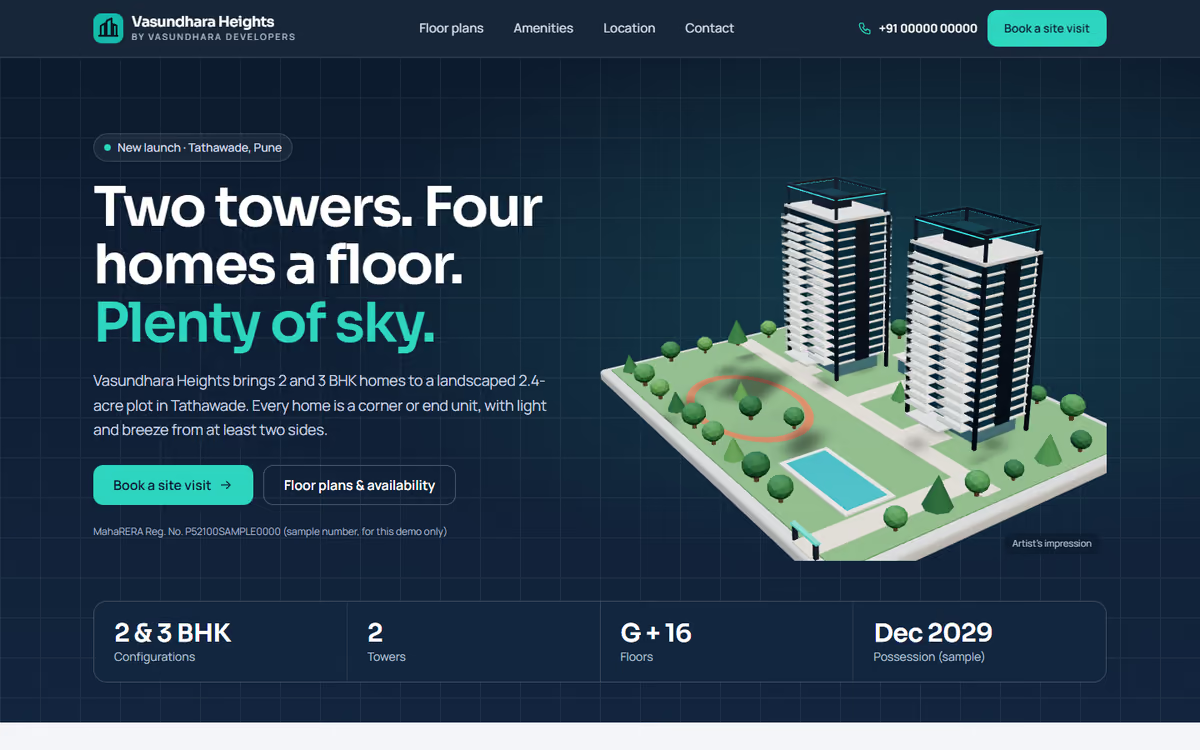
A launch website for one residential project: a 3D tower where buyers pick a floor and see its flats, floor plans, amenities, location and site-visit booking.
What this template is for
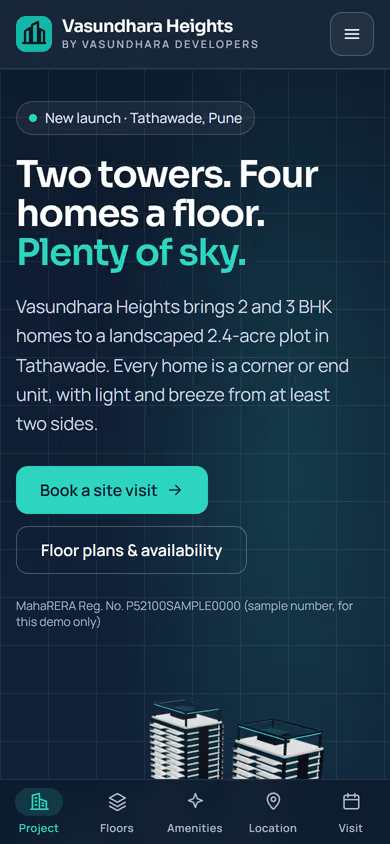
This builder project website template is for developers launching a new residential project. Instead of a flat brochure, buyers see the project in 3D: the towers stand on a landscaped plot, and on the floor-plans page they pick a floor, watch it light up on the tower and see which flats on that floor are still available. It ships with a fictional project and sample data, so you can click through every page first.
The template has five pages:
- Home: the 3D project, key facts, highlights, amenities and location advantages, with a RERA line.
- Floor plans: the interactive 3D tower, the units on each floor with carpet area, facing and status, and drawn floor plans for each configuration.
- Amenities: the clubhouse, pool, gym and play areas, plus the specifications buyers ask about.
- Location: a drawn map with distances to the station, schools, hospitals and offices.
- Site visit: a booking form, the site office address, sales phone and WhatsApp.
The 3D runs in the browser with no app or plug-in, and turns into a still drawing on older phones or for visitors who prefer less motion.
The static version uses sample units and figures. When we make it dynamic, your sales team updates unit availability from an admin panel, every site-visit booking and brochure request lands in your CRM with a WhatsApp alert, and channel partners can get their own lead links.
Pages included
- HomeView Home
- Floor plans & availabilityView Floor plans & availability
- Amenities & specificationsView Amenities & specifications
- LocationView Location
- Book a site visitView Book a site visit
Features
- Real 3D towers on a landscaped plot
- Pick a floor on the 3D tower and see its flats and their status
- Drawn floor plans with carpet area for each configuration
- Amenities, specifications and a location map with distances
- Site-visit booking, click-to-call and WhatsApp
- Still drawing instead of 3D on older phones and for reduced motion
- Mobile-first layout
Static template or dynamic site?
- Admin panel to update unit availability and prices
- Site-visit bookings and brochure requests saved to your CRM, with WhatsApp alerts
- Lead links for channel partners, with lead source tracking
- Booking amount payments by Razorpay / UPI
- Real database with daily backups
- Full SEO setup and landing pages for each configuration
| Feature | Static template | Dynamic (we build it) |
|---|---|---|
| Content edits | Developer edits code | Admin panel — you edit it yourself |
| Login / users | — | ✓ |
| Forms | Email only | Saved to your CRM, WhatsApp alerts |
| Payments | — | Razorpay / UPI |
| Data | Sample data | Your real data, database and backups |
| SEO | Basic | Full SEO setup and a blog |
Questions about templates
What is the difference between a static and a dynamic template?
A static template is a ready-made design with sample content: it looks finished, but a developer has to edit the code to change anything. A dynamic version is one we build for you, with an admin panel to edit content yourself, logins, forms saved to your CRM with WhatsApp alerts, Razorpay or UPI payments, your real data in a database with backups, and a full SEO setup with a blog.
How does “Make it dynamic” work?
Click “Make it dynamic” on the template you like, tick the extras you want (admin panel, payments, CRM, WhatsApp, SEO, custom domain) and send the form. We call you within one working day, confirm what you need and send you a written quote before any work starts.