
Coaching institute website for JEE and NEET template
Education · Website
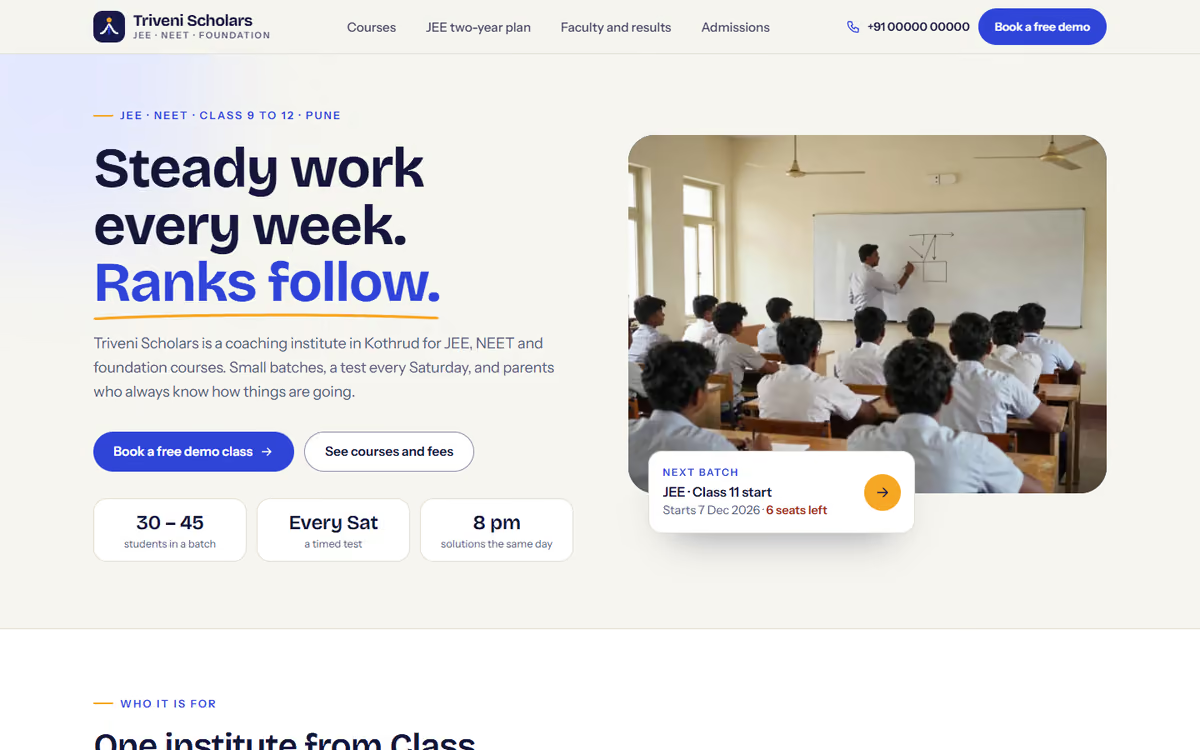
A coaching institute website with course and batch filters, seats left, a month-by-month syllabus, a fee instalment calculator and a step-by-step demo-class enquiry form.
What this template is for
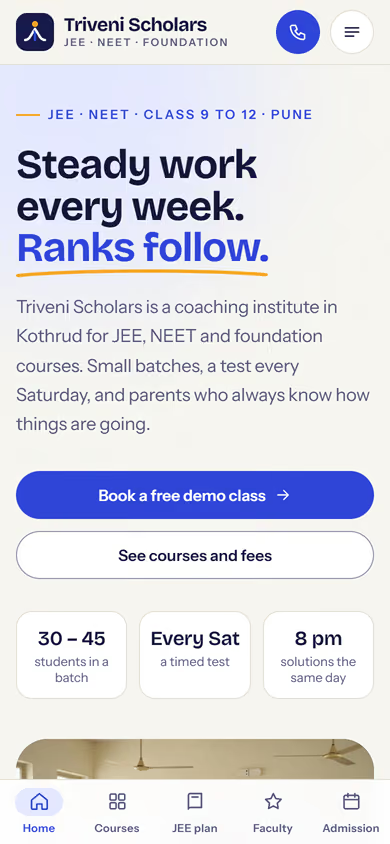
This coaching institute website template is for JEE, NEET and Class 9-12 foundation classes that want students and parents to find the right batch quickly on a phone. Every course shows its batches with start date, timing, mode and seats left, and the fee is explained openly with an instalment option. It ships with a fictional institute in Pune and sample courses, teachers and results, so you can click through every page first.
The template has five pages:
- Home: who the institute is for, the course tracks, how classes work, a sample results section and a free demo class call to action.
- Courses and batches: filter by exam and class, with batch cards showing start date, timing, offline, online or hybrid mode, seats left and the fee with an instalment option.
- Course details: the syllabus by month in an accordion, the weekly timetable, the test series, the faculty for that course, a fee breakup and an instalment calculator.
- Faculty and results: teacher cards with subject and years of experience, and a sample toppers wall.
- Admissions: a step-by-step demo-class and admission enquiry form with class, exam, preferred batch and a parent phone number, plus the centre address, timings and a drawn map.
The results and toppers shown are sample data, there to show the layout. You replace them with your own real results before going live.
The static version uses sample courses, batches and fees, and the enquiry form does not send anywhere yet. When we make it dynamic, you manage courses, batches and seats from an admin panel, enquiries go to your CRM with a WhatsApp alert, and parents can pay the admission fee or instalments by UPI.
Pages included
- HomeView Home
- Courses and batchesView Courses and batches
- Course detailsView Course details
- Faculty and resultsView Faculty and results
- AdmissionsView Admissions
Features
- Course filter by exam (JEE, NEET, Foundation) and class
- Batch cards with start date, timing, mode and seats left
- Month-by-month syllabus accordion and weekly timetable
- Fee breakup with an instalment calculator
- Faculty cards and a sample toppers wall
- Step-by-step demo-class enquiry form with a parent phone field
- Mobile-first layout with a phone tab bar
Static template or dynamic site?
- Admin panel to edit courses, batches, fees and seats left yourself
- Demo-class and admission enquiries saved to your CRM, with WhatsApp alerts
- Razorpay / UPI payments for admission fees and instalments
- Results and toppers pages you update every year
- Real database with daily backups
- Full SEO setup and a blog
| Feature | Static template | Dynamic (we build it) |
|---|---|---|
| Content edits | Developer edits code | Admin panel — you edit it yourself |
| Login / users | — | ✓ |
| Forms | Email only | Saved to your CRM, WhatsApp alerts |
| Payments | — | Razorpay / UPI |
| Data | Sample data | Your real data, database and backups |
| SEO | Basic | Full SEO setup and a blog |
Questions about templates
What is the difference between a static and a dynamic template?
A static template is a ready-made design with sample content: it looks finished, but a developer has to edit the code to change anything. A dynamic version is one we build for you, with an admin panel to edit content yourself, logins, forms saved to your CRM with WhatsApp alerts, Razorpay or UPI payments, your real data in a database with backups, and a full SEO setup with a blog.
How does “Make it dynamic” work?
Click “Make it dynamic” on the template you like, tick the extras you want (admin panel, payments, CRM, WhatsApp, SEO, custom domain) and send the form. We call you within one working day, confirm what you need and send you a written quote before any work starts.