
Coworking space website with a 3D floor plan template
Real estate · Website · 3D, interactive
A coworking space website with a 3D floor that highlights hot desks, dedicated desks, cabins and meeting rooms, a pricing calculator with GST, tour booking and day passes.
What this template is for
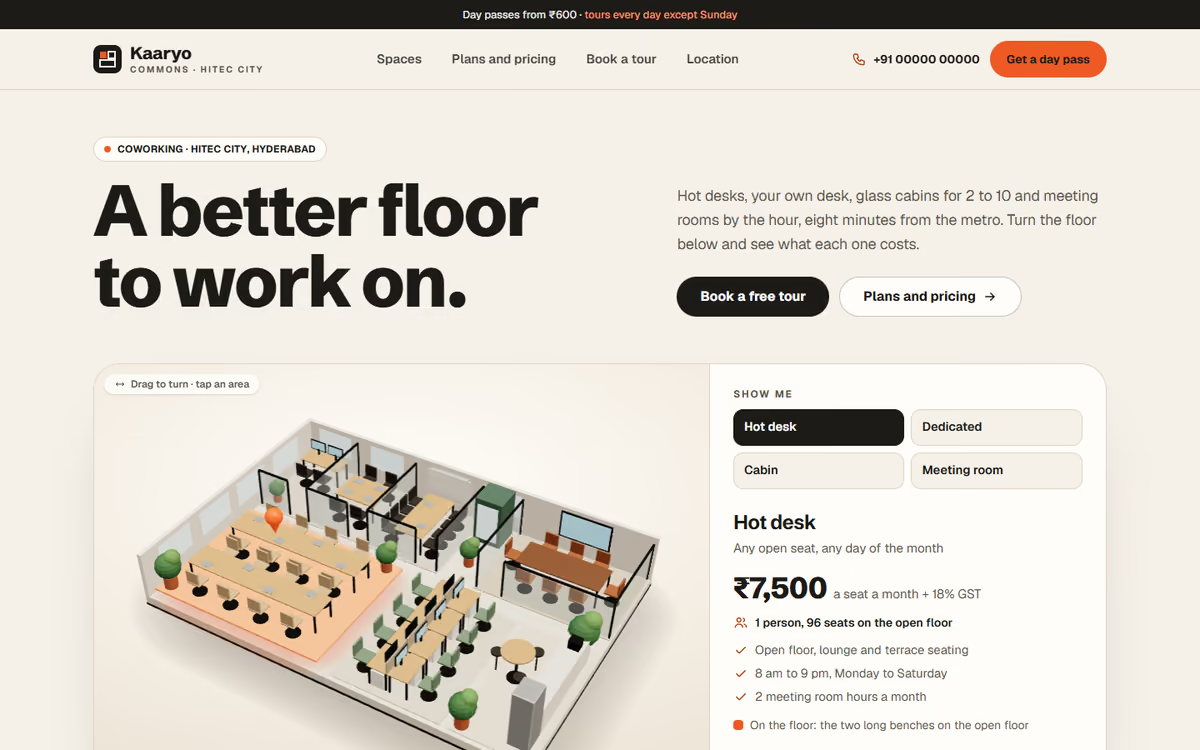
This coworking space website template is for coworking operators and managed office providers who want visitors to see the floor before they visit. The hero is the floor in real 3D: the visitor can turn it and tap hot desks, dedicated desks, cabins or the meeting room to see where they are and what they cost. It ships with a fictional Hyderabad workspace and sample prices, so you can click through every page first.
The template has five pages:
- Home: the 3D floor with prices for each space type, the ways to work there, photos and sample member notes.
- Spaces: hot desks, dedicated desks, private cabins, meeting rooms, virtual office and day passes, with capacity and amenities.
- Plans and pricing: a monthly or annual switch, a seat calculator with GST, the deposit and add-ons, and an amenities table.
- Book a tour: a date and time slot picker for a visit, and a day pass you can book in three steps.
- Location: a drawn map with the metro walk and parking, how to get there, timings and an FAQ.
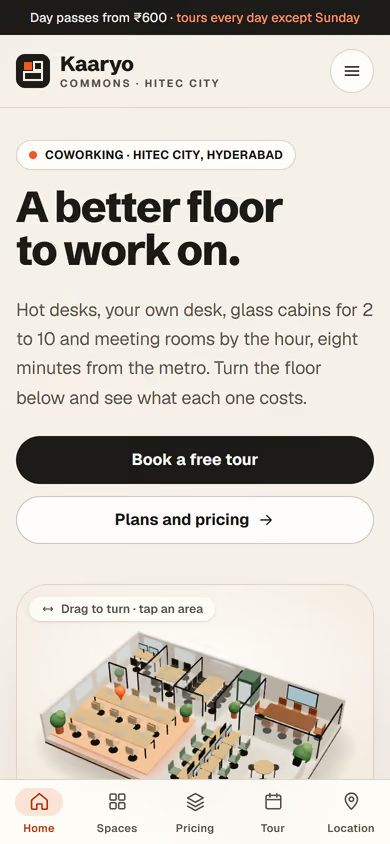
The 3D runs in the browser with no app or plug-in. On phones, a tab bar at the bottom keeps all five pages one tap away.
The static version uses sample plans and prices, and bookings do not go anywhere yet. When we make it dynamic, your plans, prices and availability come from an admin panel, tour bookings and enquiries go to your CRM with a WhatsApp alert, and members can pay for day passes and meeting rooms by UPI.
Pages included
- HomeView Home
- SpacesView Spaces
- Plans and pricingView Plans and pricing
- Book a tourView Book a tour
- LocationView Location
Features
- 3D floor plan that highlights each space type with its price
- Monthly or annual plans with a seat calculator and GST shown separately
- Amenities comparison table across plans
- Tour booking with date and time slots
- Day pass booking in three steps
- Location page with a drawn map, transit details and FAQ
- Mobile-first layout with a bottom tab bar on phones
Static template or dynamic site?
- Admin panel for plans, prices, seats and cabins
- Live availability for desks, cabins and meeting rooms
- Tour bookings and enquiries saved to your CRM, with WhatsApp alerts
- Razorpay / UPI payments for day passes and meeting rooms
- Real database with daily backups
- Full SEO setup and a blog
| Feature | Static template | Dynamic (we build it) |
|---|---|---|
| Content edits | Developer edits code | Admin panel — you edit it yourself |
| Login / users | — | ✓ |
| Forms | Email only | Saved to your CRM, WhatsApp alerts |
| Payments | — | Razorpay / UPI |
| Data | Sample data | Your real data, database and backups |
| SEO | Basic | Full SEO setup and a blog |
Questions about templates
What is the difference between a static and a dynamic template?
A static template is a ready-made design with sample content: it looks finished, but a developer has to edit the code to change anything. A dynamic version is one we build for you, with an admin panel to edit content yourself, logins, forms saved to your CRM with WhatsApp alerts, Razorpay or UPI payments, your real data in a database with backups, and a full SEO setup with a blog.
How does “Make it dynamic” work?
Click “Make it dynamic” on the template you like, tick the extras you want (admin panel, payments, CRM, WhatsApp, SEO, custom domain) and send the form. We call you within one working day, confirm what you need and send you a written quote before any work starts.