
CRM sales dashboard template
Business software · Dashboard
A CRM sales dashboard template for teams that sell by phone: leads, a pipeline board, telecaller call logs and reports. All leads and numbers are sample data.
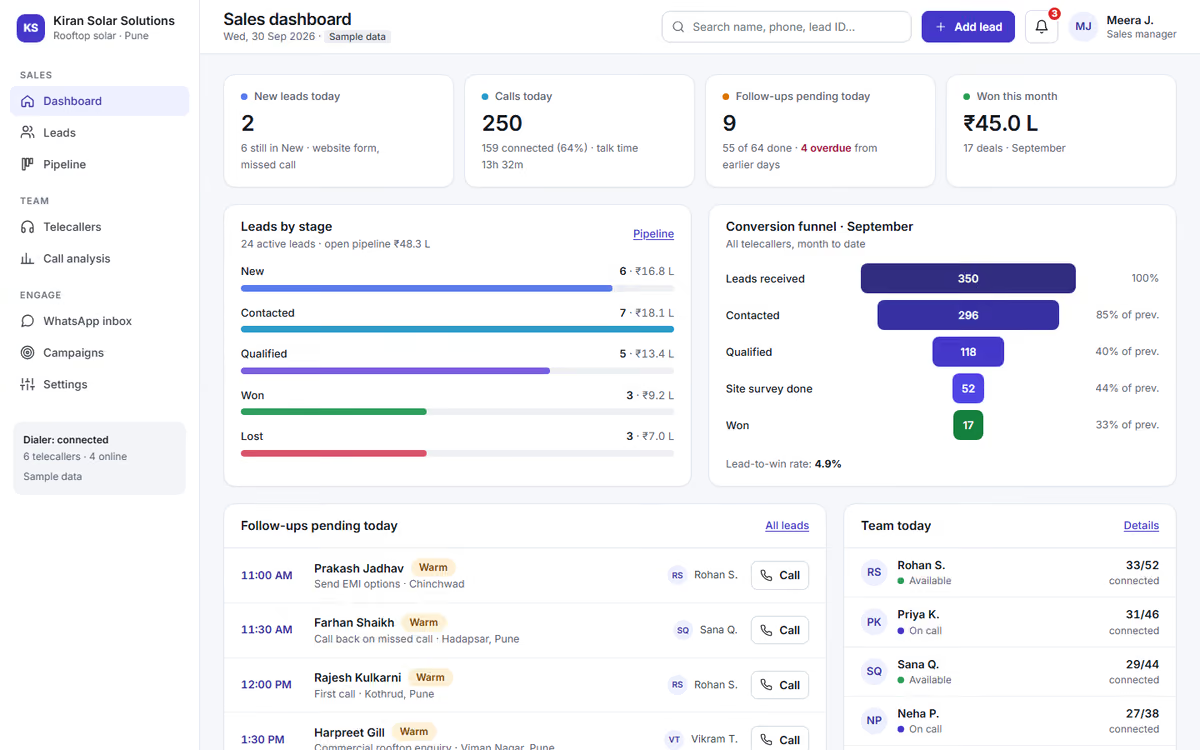
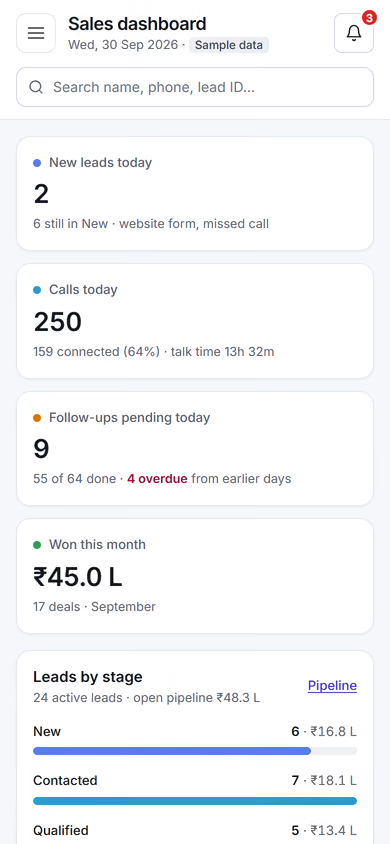
What this template is for
This CRM sales dashboard template is for sales teams that work leads by phone and WhatsApp, and for founders planning a CRM around how their own team sells. Every lead, name and number in the preview is sample data.
The template has five screens:
- Dashboard: new leads, follow-ups due today, calls made and deals by stage.
- Leads: every lead with its source, owner, status and next follow-up date, with search and filters.
- Pipeline: a board of deals by stage that a manager can read in one look.
- Telecaller calls: a log of calls by telecaller, with outcome and notes.
- Reports: leads by source, conversion by stage and activity by team member.
To use it as the start of your own CRM, you would set your lead sources, rename the stages to match your sales process and choose which reports your managers need each week.
The static version is UI only. When we make it dynamic, leads arrive automatically from your website and ad forms, telecallers and managers get their own logins, follow-ups go out on WhatsApp, and everything sits in a real database with backups. AI call-analysis reports can be added on top. If a ready product fits, see our telecaller CRM. If you need something built around your process, see our custom CRM development service.
Pages included
- Sales dashboardView Sales dashboard
- LeadsView Leads
- Lead: Anita DeshmukhView Lead: Anita Deshmukh
- PipelineView Pipeline
- TelecallersView Telecallers
- Call analysis reportView Call analysis report
Features
- Dashboard with follow-ups due and deals by stage
- Lead list with source, owner, status and next follow-up
- Pipeline board by stage
- Telecaller call log with outcomes and notes
- Reports by source, stage and team member
- Layout that works on laptops and tablets
Static template or dynamic site?
- Leads captured automatically from your website and ad forms
- Logins and roles for telecallers, managers and the owner
- WhatsApp follow-ups and reminders
- AI call-analysis reports for managers
- Real database with daily backups
- CSV import of your existing leads and CSV export
| Feature | Static template | Dynamic (we build it) |
|---|---|---|
| Content edits | Developer edits code | Admin panel — you edit it yourself |
| Login / users | — | ✓ |
| Forms | Email only | Saved to your CRM, WhatsApp alerts |
| Payments | — | Razorpay / UPI |
| Data | Sample data | Your real data, database and backups |
| SEO | Basic | Full SEO setup and a blog |
Questions about templates
What is the difference between a static and a dynamic template?
A static template is a ready-made design with sample content: it looks finished, but a developer has to edit the code to change anything. A dynamic version is one we build for you, with an admin panel to edit content yourself, logins, forms saved to your CRM with WhatsApp alerts, Razorpay or UPI payments, your real data in a database with backups, and a full SEO setup with a blog.
How does “Make it dynamic” work?
Click “Make it dynamic” on the template you like, tick the extras you want (admin panel, payments, CRM, WhatsApp, SEO, custom domain) and send the form. We call you within one working day, confirm what you need and send you a written quote before any work starts.