
ERP admin dashboard template
Business software · Dashboard
An ERP admin dashboard template for distributors: sales invoices, stock by batch and expiry, parties and GST reports. It uses the Victrove ERP design language and sample data.
What this template is for
This ERP admin dashboard template is for businesses that want a custom internal tool for billing and stock, and for teams that want to see what such a tool can look like before they plan one. It follows the design language of our own Victrove ERP. Every number, party and product in the preview is sample data.
The template has five screens:
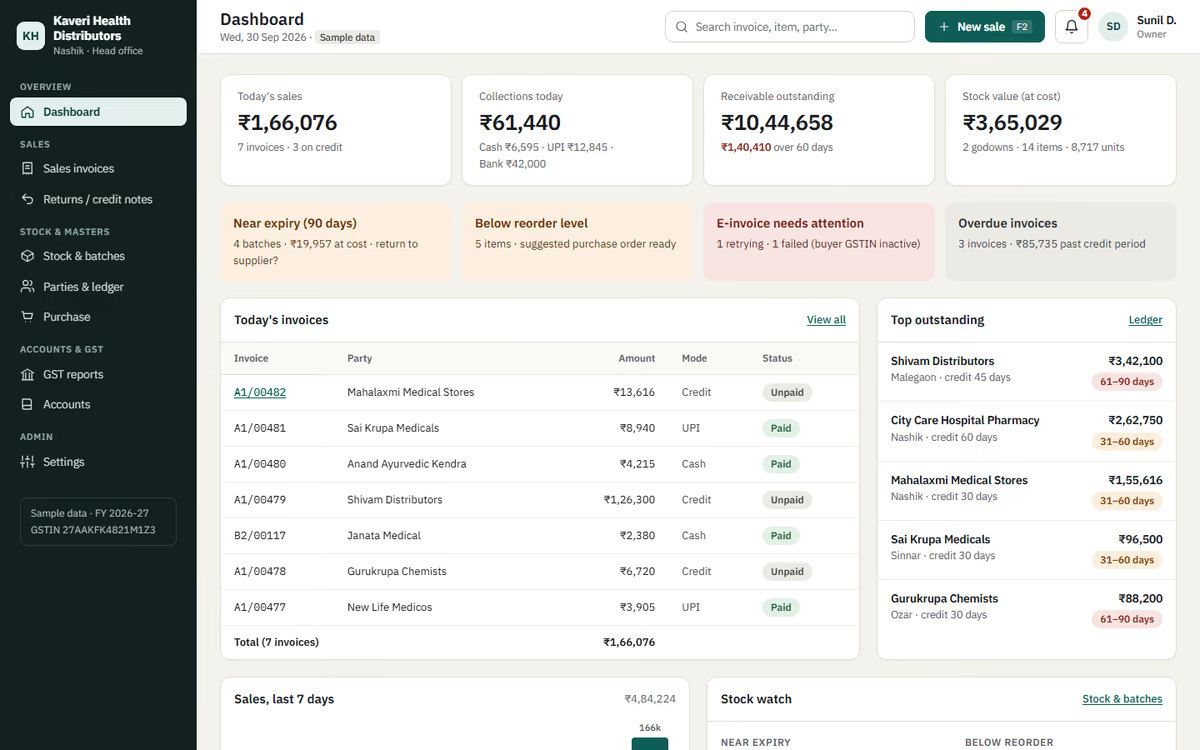
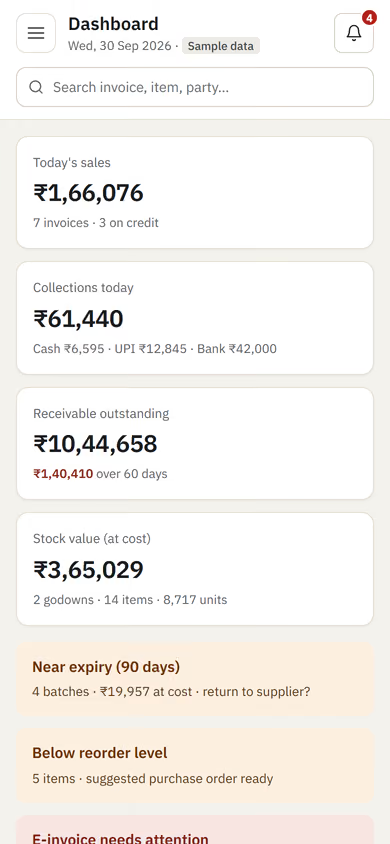
- Dashboard: today’s sales, receivables, stock near expiry and recent invoices at a glance.
- Sales invoices: a list of bills with search and filters, and a detailed invoice view with items, batches and tax.
- Stock & batches: stock by product and batch, with expiry dates and low-stock flags.
- Parties: customers and suppliers with contact details, GSTIN and outstanding balances.
- GST reports: tax summaries by period, laid out the way you prepare returns.
To use it as the start of your own system, you would decide which modules you need, rename fields to match how your team talks, and add the screens that are specific to your business.
The static version is UI only. When we make it dynamic, it runs on a real database with user logins and roles, creates GST invoices you can print or share, tracks stock by batch and expiry as you bill, and keeps daily backups. If your needs are close to a standard distributor setup, Victrove ERP may already cover them at a lower cost. If not, see our custom ERP development service.
Pages included
- DashboardView Dashboard
- Sales invoicesView Sales invoices
- Invoice A1/00482View Invoice A1/00482
- Stock & batchesView Stock & batches
- Parties & ledger balancesView Parties & ledger balances
- GST reportsView GST reports
Features
- Dashboard with sales, receivables and expiry alerts
- Invoice list and detailed invoice view
- Stock by product and batch with expiry dates
- Party ledger view with GSTIN and balances
- GST report layout by period
- Sidebar navigation that works on tablets
Static template or dynamic site?
- Real database with user logins and roles
- GST invoice creation, printing and sharing on WhatsApp
- Stock that updates by batch and expiry as you bill
- GST e-invoice and e-way bill integration
- Excel and PDF exports for your accountant
- Daily backups and an audit log of changes
- Admin settings for tax rates, units and price lists
| Feature | Static template | Dynamic (we build it) |
|---|---|---|
| Content edits | Developer edits code | Admin panel — you edit it yourself |
| Login / users | — | ✓ |
| Forms | Email only | Saved to your CRM, WhatsApp alerts |
| Payments | — | Razorpay / UPI |
| Data | Sample data | Your real data, database and backups |
| SEO | Basic | Full SEO setup and a blog |
Questions about templates
What is the difference between a static and a dynamic template?
A static template is a ready-made design with sample content: it looks finished, but a developer has to edit the code to change anything. A dynamic version is one we build for you, with an admin panel to edit content yourself, logins, forms saved to your CRM with WhatsApp alerts, Razorpay or UPI payments, your real data in a database with backups, and a full SEO setup with a blog.
How does “Make it dynamic” work?
Click “Make it dynamic” on the template you like, tick the extras you want (admin panel, payments, CRM, WhatsApp, SEO, custom domain) and send the form. We call you within one working day, confirm what you need and send you a written quote before any work starts.