
Furniture showroom with 3D sofa configurator template
Retail stores · Store · 3D, interactive
A furniture and interiors showroom website with a 3D sofa the customer recolours and resizes, room ideas, a shop and showroom-visit booking.
What this template is for
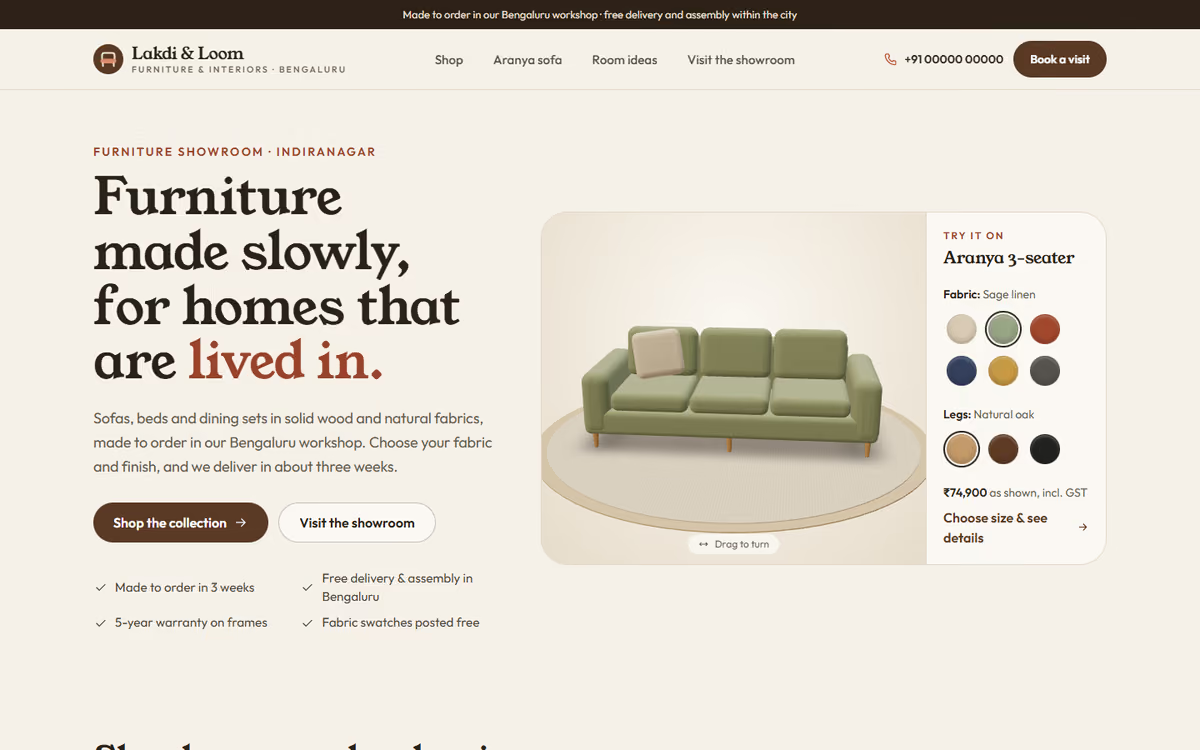
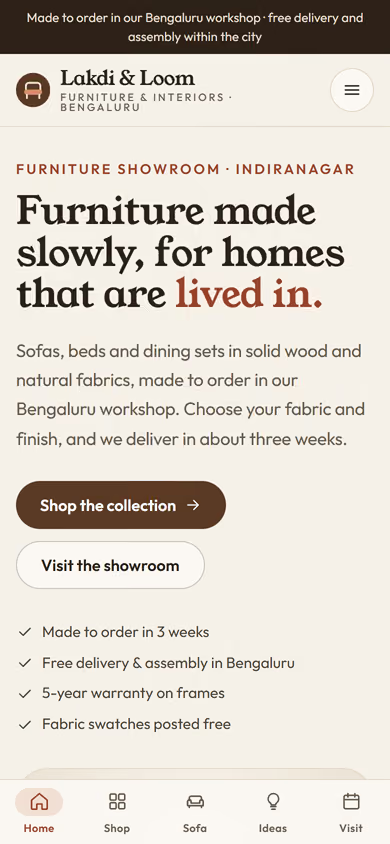
This furniture showroom website template is for furniture makers, interior studios and showrooms. The hero is a sofa in real 3D: customers pick the fabric and the leg finish, choose two or three seats, and the sofa and its price change in front of them. It ships with a fictional showroom and sample products, so you can click through every page first.
The template has five pages:
- Home: the 3D sofa configurator, shop by category, bestsellers and a showroom-visit call to action.
- Shop: sofas, beds, dining, chairs and storage, with category filters and price sorting.
- Product: the large 3D configurator with fabric, leg finish and seat count, dimensions, price and delivery details.
- Room ideas: living, bedroom and dining scenes with the pieces used in each.
- Visit: a showroom-visit form, a free home-measurement request, the address and opening hours.
The 3D runs in the browser with no app or plug-in, and turns into a still drawing on older phones or for visitors who prefer less motion.
The static version uses sample products and prices. When we make it dynamic, you manage products, fabrics and prices from an admin panel, configured orders and visit requests reach your CRM with a WhatsApp alert, and customers can pay an advance by UPI.
Pages included
- HomeView Home
- ShopView Shop
- Aranya sofaView Aranya sofa
- Room ideasView Room ideas
- Visit the showroomView Visit the showroom
Features
- Real 3D sofa that customers recolour and resize
- Fabric and leg-finish swatches with live price
- Shop with category filters and price sorting
- Room ideas that link to the pieces used
- Showroom-visit and home-measurement requests
- Still drawing instead of 3D on older phones and for reduced motion
- Mobile-first layout
Static template or dynamic site?
- Admin panel for products, fabrics, finishes and prices
- Configured orders and visit requests saved to your CRM, with WhatsApp alerts
- Advance payments by Razorpay / UPI
- Delivery and installation scheduling
- Real database with daily backups
- Full SEO setup and a blog
| Feature | Static template | Dynamic (we build it) |
|---|---|---|
| Content edits | Developer edits code | Admin panel — you edit it yourself |
| Login / users | — | ✓ |
| Forms | Email only | Saved to your CRM, WhatsApp alerts |
| Payments | — | Razorpay / UPI |
| Data | Sample data | Your real data, database and backups |
| SEO | Basic | Full SEO setup and a blog |
Questions about templates
What is the difference between a static and a dynamic template?
A static template is a ready-made design with sample content: it looks finished, but a developer has to edit the code to change anything. A dynamic version is one we build for you, with an admin panel to edit content yourself, logins, forms saved to your CRM with WhatsApp alerts, Razorpay or UPI payments, your real data in a database with backups, and a full SEO setup with a blog.
How does “Make it dynamic” work?
Click “Make it dynamic” on the template you like, tick the extras you want (admin panel, payments, CRM, WhatsApp, SEO, custom domain) and send the form. We call you within one working day, confirm what you need and send you a written quote before any work starts.