
Gym and fitness studio website template
Fitness · Website
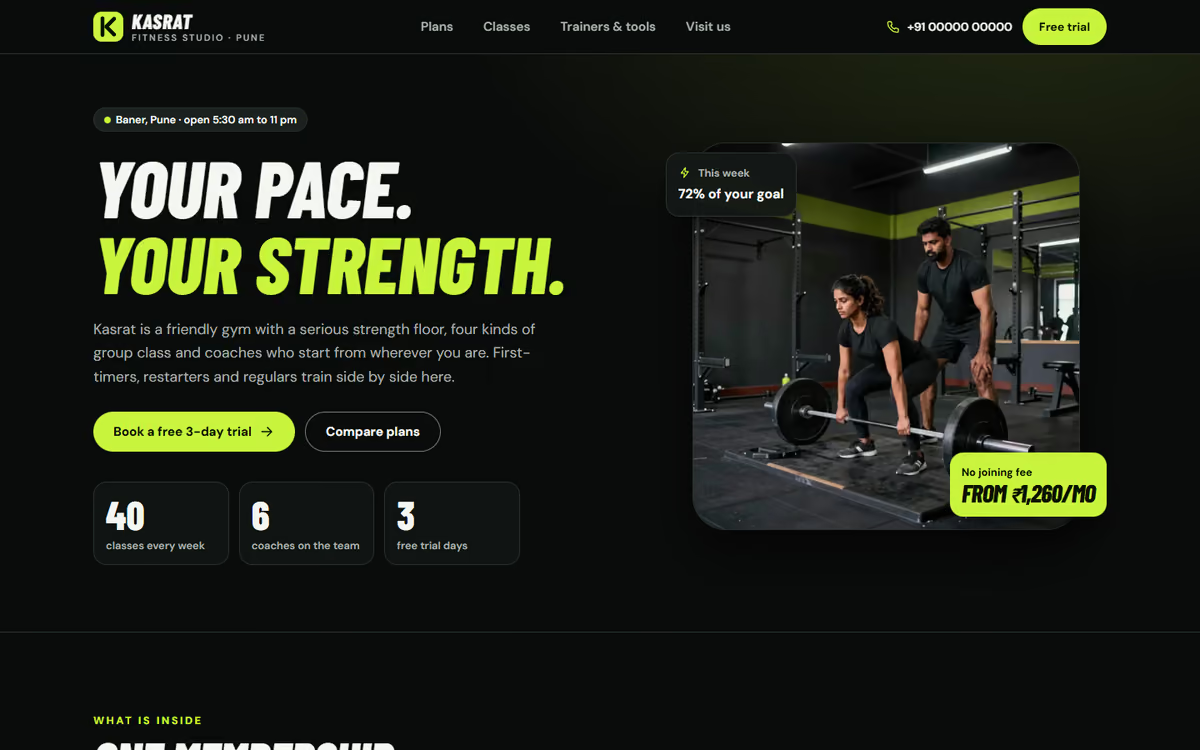
A dark, bold gym website with membership plans and a billing-period toggle, a weekly class timetable, BMI and calorie calculators and a free trial booking form.
What this template is for
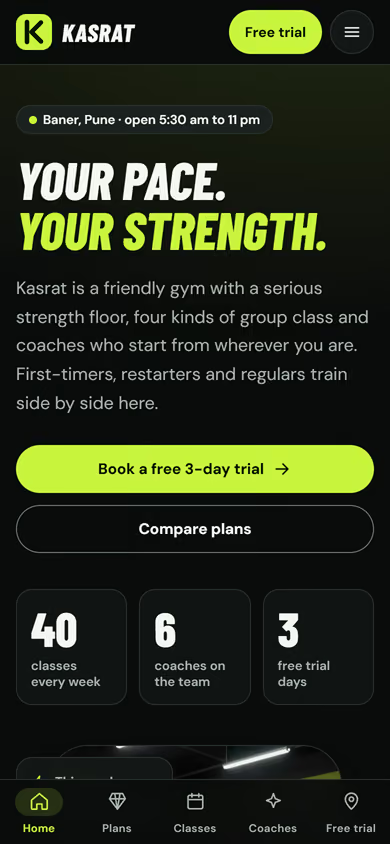
This gym website template is for gyms and fitness studios with a strength floor, group classes and personal training. It is built for visitors who compare plans and want to try before they pay. The design is dark with one bright lime accent, and the wording is confident and welcoming rather than intimidating. It ships with a fictional studio in Pune and sample plans, classes and trainers, so you can click through every page first.
The template has five pages:
- Home: a bold hero, what the gym offers, a peek at today’s classes, a plan teaser, a sample transformations section and a free trial call to action.
- Membership plans: three plans with a monthly, quarterly, half-yearly and yearly toggle that shows the per-month price and the saving, add-ons such as personal training and a diet plan, and a plan comparison table.
- Class timetable: the week’s classes with day tabs and filters for yoga, Zumba, HIIT, spin and strength, each showing intensity level and trainer, plus a demo “reserve spot” button.
- Trainers and tools: trainer cards, a BMI calculator and a daily calorie and protein estimator, worded as general guidance and not medical advice.
- Free trial: a trial booking form with goal, preferred time and plan, plus the address, opening hours and a drawn map.
The transformations shown are sample content, there to show the layout. You replace them with your own members’ stories, with their permission.
The static version uses sample plans, prices and classes, and the reserve-spot button and trial form are demos. When we make it dynamic, you manage plans and the timetable from an admin panel, class spots are counted for real, trial requests go to your CRM with a WhatsApp alert, and members can pay for plans by UPI.
Pages included
- HomeView Home
- Membership plansView Membership plans
- Class timetableView Class timetable
- Trainers and toolsView Trainers and tools
- Free trialView Free trial
Features
- Billing-period toggle showing per-month price and savings
- Add-ons and a plan comparison table
- Weekly timetable with day tabs and class-type filters
- Intensity level and trainer shown on every class
- BMI calculator and daily calorie and protein estimator
- Free trial form with goal, preferred time and plan
- Dark, mobile-first layout with a phone tab bar
Static template or dynamic site?
- Admin panel to edit plans, prices, classes and trainers yourself
- Real class spot reservations with limited seats
- Free trial requests saved to your CRM, with WhatsApp alerts
- Razorpay / UPI payments for memberships and add-ons
- Real database with daily backups
- Full SEO setup and a blog
| Feature | Static template | Dynamic (we build it) |
|---|---|---|
| Content edits | Developer edits code | Admin panel — you edit it yourself |
| Login / users | — | ✓ |
| Forms | Email only | Saved to your CRM, WhatsApp alerts |
| Payments | — | Razorpay / UPI |
| Data | Sample data | Your real data, database and backups |
| SEO | Basic | Full SEO setup and a blog |
Questions about templates
What is the difference between a static and a dynamic template?
A static template is a ready-made design with sample content: it looks finished, but a developer has to edit the code to change anything. A dynamic version is one we build for you, with an admin panel to edit content yourself, logins, forms saved to your CRM with WhatsApp alerts, Razorpay or UPI payments, your real data in a database with backups, and a full SEO setup with a blog.
How does “Make it dynamic” work?
Click “Make it dynamic” on the template you like, tick the extras you want (admin panel, payments, CRM, WhatsApp, SEO, custom domain) and send the form. We call you within one working day, confirm what you need and send you a written quote before any work starts.