
Modular kitchen website with a 3D kitchen configurator template
Professional services · Website · 3D, interactive
A modular kitchen studio website with a 3D kitchen the visitor can change by layout, finish and countertop, a running-feet price estimate, design gallery and home visit booking.
What this template is for
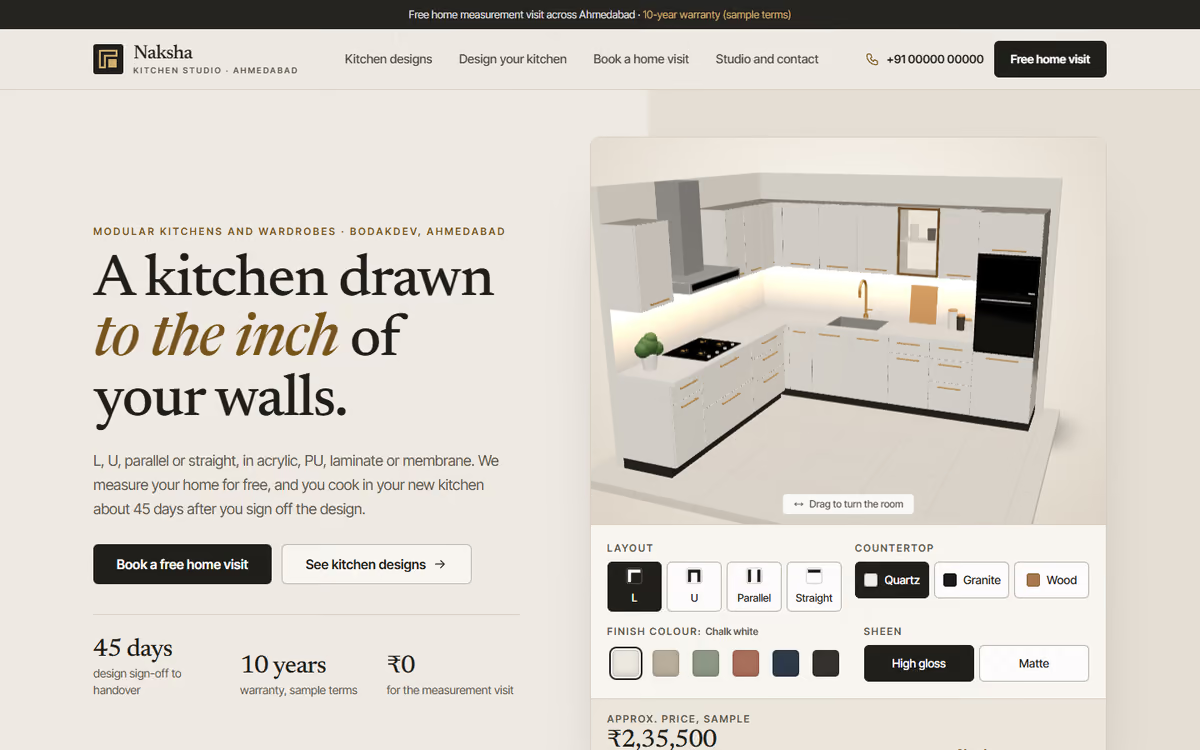
This modular kitchen website template is for kitchen and wardrobe studios that want buyers to picture their kitchen before the home visit. The hero is a kitchen in real 3D: the visitor can switch between L-shaped, U-shaped, parallel and straight layouts, change the cabinet colour and finish and pick a quartz, granite or wood top, with a sample price that updates as they go. It ships with a fictional Ahmedabad studio and sample rates, so you can click through every page first.
The template has five pages:
- Home: the 3D kitchen, the four layouts with starting prices, photos, a finishes rate card, the 45-day process and sample customer notes.
- Kitchen designs: nine designs you can filter by layout and finish, each with a starting price and a link to open it in the planner.
- Design your kitchen: a bigger 3D planner with material and handle choices, wall lengths that work out running feet, hardware add-ons and an itemised estimate.
- Book a home visit: a date and time slot picker, the steps from measurement to handover, and what to keep ready.
- Studio and contact: showroom address and hours, a drawn map, the warranty, care tips, an FAQ and a contact form.
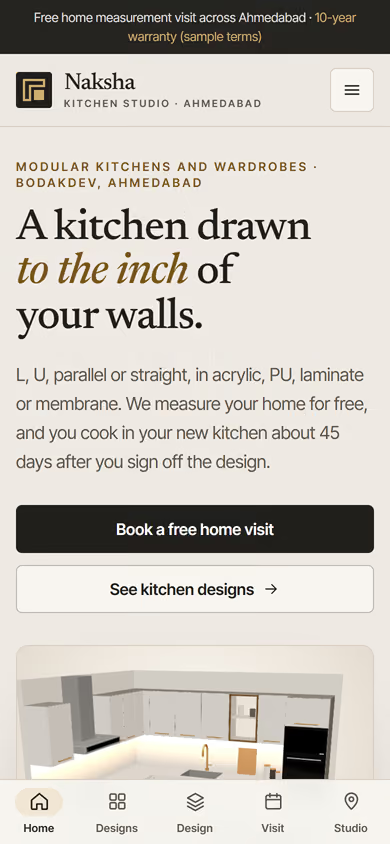
The 3D runs in the browser with no app or plug-in. On phones, a tab bar at the bottom keeps all five pages one tap away.
The static version uses sample designs and rates, and the forms do not send anywhere yet. When we make it dynamic, your designs, finishes and rates come from an admin panel, estimates and visit bookings go to your CRM with a WhatsApp alert, and your designers can share a saved design with the customer.
Pages included
- HomeView Home
- Kitchen designsView Kitchen designs
- Design your kitchenView Design your kitchen
- Book a home visitView Book a home visit
- Studio and contactView Studio and contact
Features
- 3D kitchen with L, U, parallel and straight layouts
- Cabinet colours, gloss or matte finish and three countertops
- Running-feet estimate with hardware add-ons and an itemised total
- Design gallery filterable by layout and finish
- Home visit booking with date and time slots
- Warranty, care tips, map and FAQ
- Mobile-first layout with a bottom tab bar on phones
Static template or dynamic site?
- Admin panel for designs, finishes, hardware and rates
- Estimates and visit bookings saved to your CRM, with WhatsApp alerts
- Saved designs your team can share with customers
- Razorpay / UPI booking amounts
- Real database with daily backups
- Full SEO setup and a design ideas blog
| Feature | Static template | Dynamic (we build it) |
|---|---|---|
| Content edits | Developer edits code | Admin panel — you edit it yourself |
| Login / users | — | ✓ |
| Forms | Email only | Saved to your CRM, WhatsApp alerts |
| Payments | — | Razorpay / UPI |
| Data | Sample data | Your real data, database and backups |
| SEO | Basic | Full SEO setup and a blog |
Questions about templates
What is the difference between a static and a dynamic template?
A static template is a ready-made design with sample content: it looks finished, but a developer has to edit the code to change anything. A dynamic version is one we build for you, with an admin panel to edit content yourself, logins, forms saved to your CRM with WhatsApp alerts, Razorpay or UPI payments, your real data in a database with backups, and a full SEO setup with a blog.
How does “Make it dynamic” work?
Click “Make it dynamic” on the template you like, tick the extras you want (admin panel, payments, CRM, WhatsApp, SEO, custom domain) and send the form. We call you within one working day, confirm what you need and send you a written quote before any work starts.