
Packaging and printing website with a 3D box that folds template
Manufacturing & B2B · Website · 3D, interactive
A custom packaging manufacturer website with a 3D box configurator that folds the flat dieline into a box, box styles, a quote calculator with GST and an enquiry form.
What this template is for
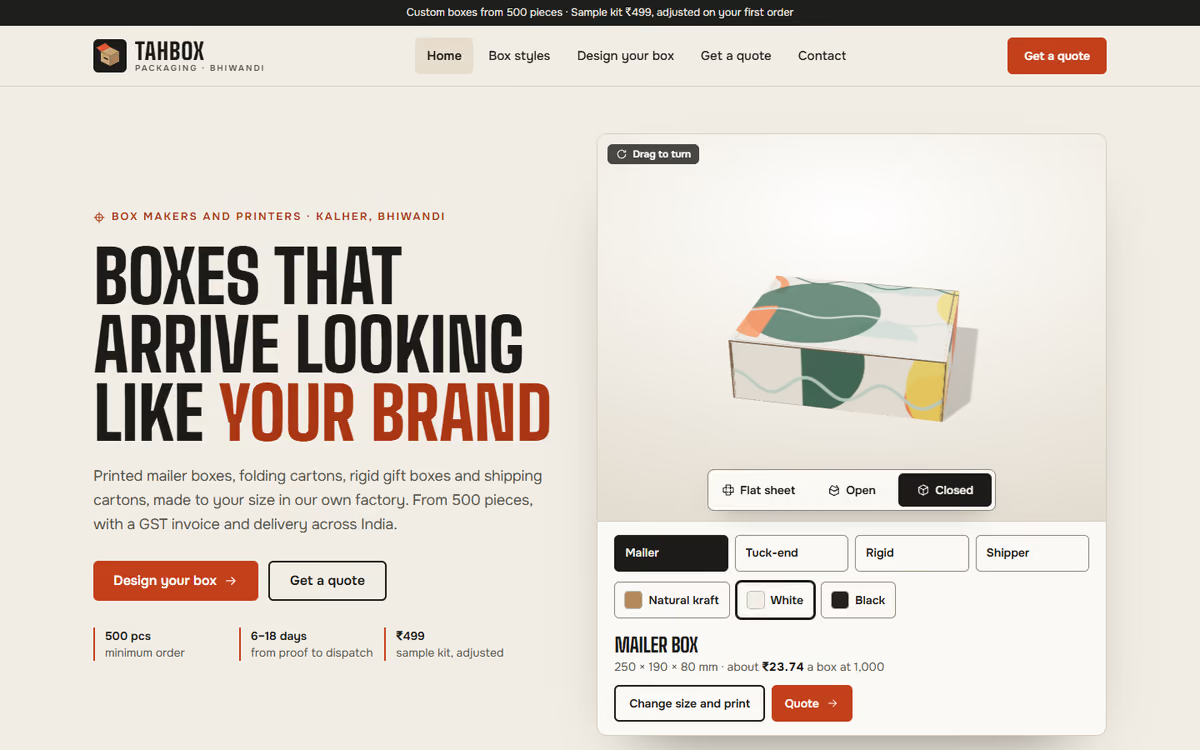
This packaging website template is for box makers and printing units that sell custom cartons, mailer boxes and rigid gift boxes to brands. The hero is a real dieline in 3D: the visitor picks a style, types the length, width and height, chooses board, colour and finish, and presses a button to watch the flat sheet fold into the box, flap by flap. It ships with a fictional Bhiwandi factory and sample prices, so you can click through every page first.
The template has five pages:
- Home: the 3D box, who the factory serves, box styles, how ordering works from sample kit to dispatch, factory capacity and photos.
- Box styles: eight styles you can filter by use, with board grades, print options, MOQ, price range and lead time.
- Design your box: the full configurator with live size, board area, MOQ and price at each quantity tier.
- Get a quote: a calculator with quantity tiers, setup charge, GST 18% and lead time, and an enquiry form with a sample kit request.
- Contact: factory address, hours, a drawn map, dispatch coverage and an FAQ.
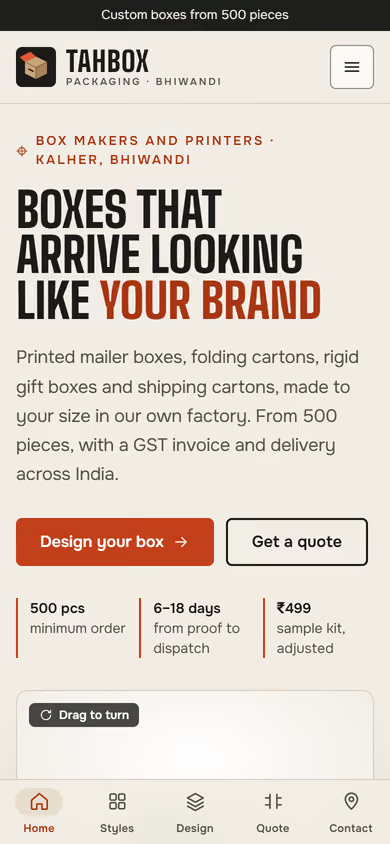
The 3D runs in the browser with no app or plug-in. On phones, a tab bar at the bottom keeps all five pages one tap away.
The static version uses sample prices and the forms do not send anywhere yet. When we make it dynamic, your styles, board rates and price tiers come from an admin panel, quote requests go to your CRM with a WhatsApp alert, and buyers can upload artwork and approve proofs online.
Pages included
- HomeView Home
- Box stylesView Box styles
- Design your boxView Design your box
- Get a quoteView Get a quote
- ContactView Contact
Features
- 3D box configurator with a fold and unfold animation
- Live size, board grade, colour and print finish
- Box styles with MOQ, price ranges and lead times
- Quote calculator with quantity tiers, setup charge and GST
- Enquiry form with a sample kit request
- Mobile-first layout with a bottom tab bar on phones
Static template or dynamic site?
- Admin panel for styles, board rates and price tiers
- Quote requests saved to your CRM, with WhatsApp alerts
- Artwork upload and online proof approval
- Order tracking from production to dispatch
- Real database with daily backups
- Full SEO setup and landing pages by industry
| Feature | Static template | Dynamic (we build it) |
|---|---|---|
| Content edits | Developer edits code | Admin panel — you edit it yourself |
| Login / users | — | ✓ |
| Forms | Email only | Saved to your CRM, WhatsApp alerts |
| Payments | — | Razorpay / UPI |
| Data | Sample data | Your real data, database and backups |
| SEO | Basic | Full SEO setup and a blog |
Questions about templates
What is the difference between a static and a dynamic template?
A static template is a ready-made design with sample content: it looks finished, but a developer has to edit the code to change anything. A dynamic version is one we build for you, with an admin panel to edit content yourself, logins, forms saved to your CRM with WhatsApp alerts, Razorpay or UPI payments, your real data in a database with backups, and a full SEO setup with a blog.
How does “Make it dynamic” work?
Click “Make it dynamic” on the template you like, tick the extras you want (admin panel, payments, CRM, WhatsApp, SEO, custom domain) and send the form. We call you within one working day, confirm what you need and send you a written quote before any work starts.