
Preschool and daycare website with a 3D classroom template
Education · Website · 3D, interactive
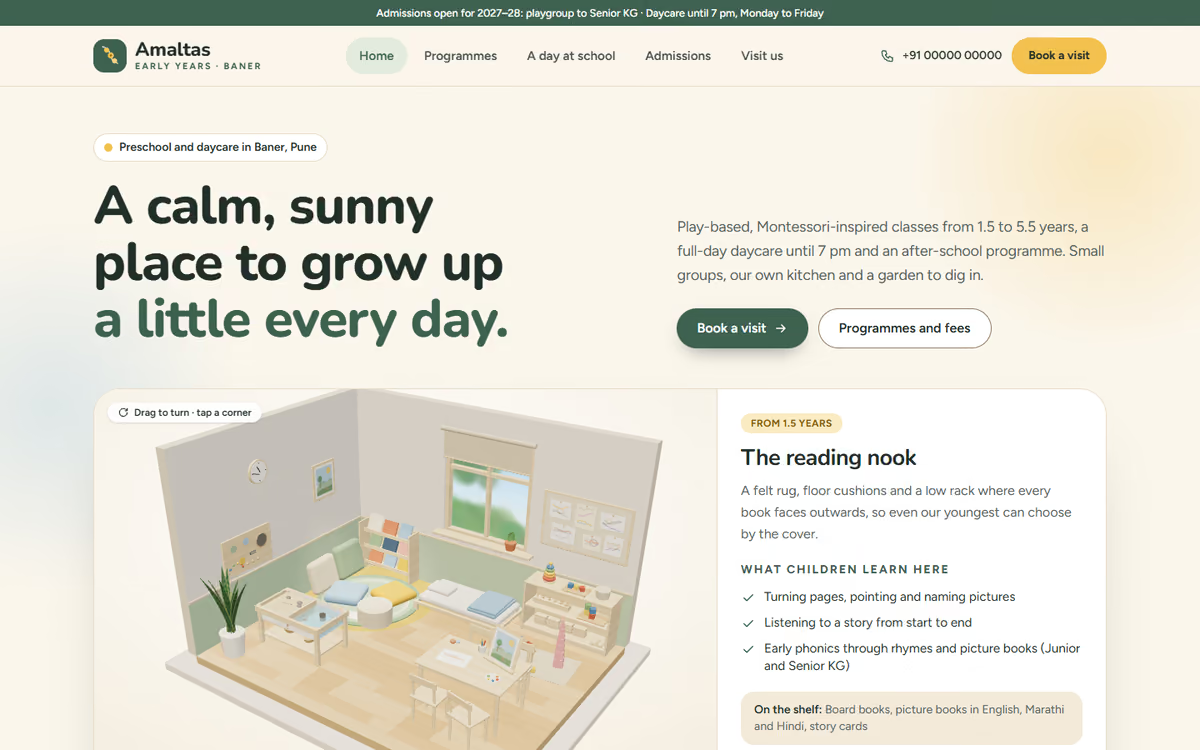
A preschool and daycare website with a 3D classroom model showing each activity zone, programmes and fees, a day at school, an age checker and admissions.
What this template is for
This preschool website template is for playschools, preschools and daycares that want parents to see how the day is spent. The hero is a classroom corner in real 3D: the visitor turns it and picks reading, building, art, sensory play or rest to see what children learn in each zone and at what age. It ships with a fictional Pune preschool and sample fees, so you can click through every page first.
The template has five pages:
- Home: the 3D classroom, the programmes, the approach to learning, safety, photos and sample parent notes.
- Programmes and fees: playgroup, nursery, junior and senior KG, daycare and after-school, with timings, ratios, a fee estimator and a comparison table.
- A day at school: an hour-by-hour timeline for full day and morning class, a weekly meal menu, and safety and hygiene.
- Admissions: an age checker by date of birth, documents needed, the steps, a fee table and a visit form.
- Visit us: the centre, van routes on a drawn map, a parent FAQ and contact details.
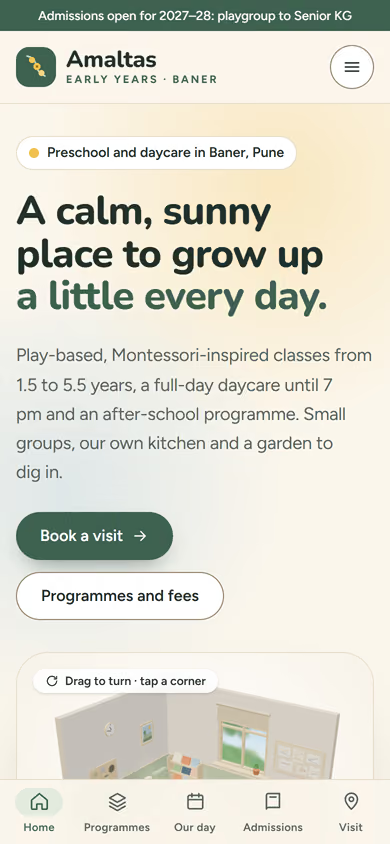
The 3D runs in the browser with no app or plug-in. On phones, a tab bar at the bottom keeps all five pages one tap away.
The static version uses sample programmes, fees and routes, and the forms do not send anywhere yet. When we make it dynamic, your programmes, fees and seats come from an admin panel, enquiries and visit requests go to your CRM with a WhatsApp alert, and parents can pay fees online by UPI.
Pages included
- HomeView Home
- Programmes and feesView Programmes and fees
- A day at schoolView A day at school
- AdmissionsView Admissions
- Visit usView Visit us
Features
- 3D classroom with reading, building, art, sensory and rest zones
- Programmes with timings, ratios, fees and a comparison table
- Hour-by-hour day plan and weekly meal menu
- Age checker by date of birth and admission steps
- Van routes map, parent FAQ and visit form
- Mobile-first layout with a bottom tab bar on phones
Static template or dynamic site?
- Admin panel for programmes, fees and seats
- Enquiries and visit requests saved to your CRM, with WhatsApp alerts
- Razorpay / UPI fee payments with receipts
- Parent logins for notices, menus and daily updates
- Real database with daily backups
- Full SEO setup and a parenting blog
| Feature | Static template | Dynamic (we build it) |
|---|---|---|
| Content edits | Developer edits code | Admin panel — you edit it yourself |
| Login / users | — | ✓ |
| Forms | Email only | Saved to your CRM, WhatsApp alerts |
| Payments | — | Razorpay / UPI |
| Data | Sample data | Your real data, database and backups |
| SEO | Basic | Full SEO setup and a blog |
Questions about templates
What is the difference between a static and a dynamic template?
A static template is a ready-made design with sample content: it looks finished, but a developer has to edit the code to change anything. A dynamic version is one we build for you, with an admin panel to edit content yourself, logins, forms saved to your CRM with WhatsApp alerts, Razorpay or UPI payments, your real data in a database with backups, and a full SEO setup with a blog.
How does “Make it dynamic” work?
Click “Make it dynamic” on the template you like, tick the extras you want (admin panel, payments, CRM, WhatsApp, SEO, custom domain) and send the form. We call you within one working day, confirm what you need and send you a written quote before any work starts.