
Restaurant menu site template
Restaurants & food · Website
A restaurant menu website template with a full menu, your story, table reservations and contact details. Made for restaurants, cafes and cloud kitchens. Sample menu only.
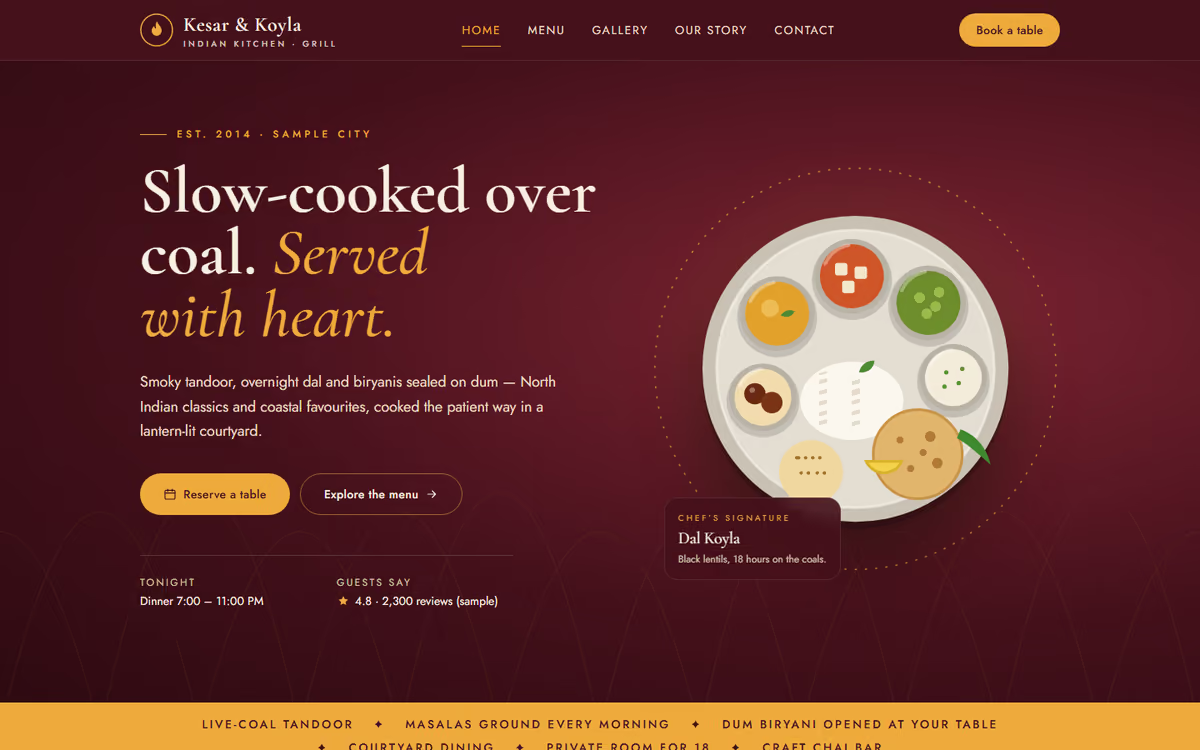
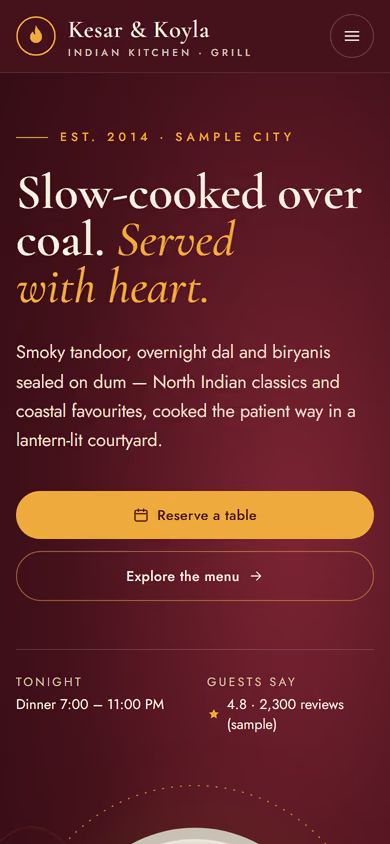
What this template is for
This restaurant menu website template is for restaurants, cafes, bakeries and cloud kitchens that want their own site instead of relying only on listing apps. The menu is the centre of it, because that is what most visitors come to see. The restaurant and dishes in the preview are fictional.
The template has five pages:
- Home: the food, the feel of the place, opening hours and quick links to the menu and reservations.
- Menu: dishes grouped by section, with prices, veg and non-veg markers and short descriptions.
- About: the kitchen, the people behind it and what the restaurant stands for.
- Reservations: pick a date, time and party size, and leave a name and phone number.
- Contact: address, map, hours, phone and WhatsApp.
To make it yours, you would add your dishes, prices, photos, hours and address. The menu page loads fast on mobile data and stays readable at a table in low light, which is where it is usually opened.
In the static version, changing a price means asking a developer. When we make it dynamic, you edit the menu yourself, mark dishes as sold out, post daily specials, take table reservations with WhatsApp confirmations, and accept pickup orders paid by UPI. We also set up local SEO so people searching for food nearby find your own site. See our web and mobile app development and SEO services.
Pages included
- HomeView Home
- MenuView Menu
- ReservationsView Reservations
- Our storyView Our story
- GalleryView Gallery
- ContactView Contact
Features
- Menu grouped by section with prices and veg / non-veg markers
- Opening hours and location on the home page
- Table reservation form
- Fast menu page on mobile data
- Click-to-call, WhatsApp and map directions
- Basic SEO tags on every page
Static template or dynamic site?
- Admin panel to edit dishes, prices and photos, and mark items sold out
- Daily specials you can post from your phone
- Table reservations with time slots and WhatsApp confirmations
- Pickup and delivery orders paid by Razorpay / UPI
- Reservations and orders saved to your CRM
- Real database with daily backups
- Full local SEO setup and a blog
| Feature | Static template | Dynamic (we build it) |
|---|---|---|
| Content edits | Developer edits code | Admin panel — you edit it yourself |
| Login / users | — | ✓ |
| Forms | Email only | Saved to your CRM, WhatsApp alerts |
| Payments | — | Razorpay / UPI |
| Data | Sample data | Your real data, database and backups |
| SEO | Basic | Full SEO setup and a blog |
Questions about templates
What is the difference between a static and a dynamic template?
A static template is a ready-made design with sample content: it looks finished, but a developer has to edit the code to change anything. A dynamic version is one we build for you, with an admin panel to edit content yourself, logins, forms saved to your CRM with WhatsApp alerts, Razorpay or UPI payments, your real data in a database with backups, and a full SEO setup with a blog.
How does “Make it dynamic” work?
Click “Make it dynamic” on the template you like, tick the extras you want (admin panel, payments, CRM, WhatsApp, SEO, custom domain) and send the form. We call you within one working day, confirm what you need and send you a written quote before any work starts.