
Sneaker store with 3D shoe viewer template
Retail stores · Store · 3D, interactive
A sneaker store website with a 3D shoe that turns in the browser, colourway swaps, a size picker with stock, a drops calendar and a store-visit page.
What this template is for
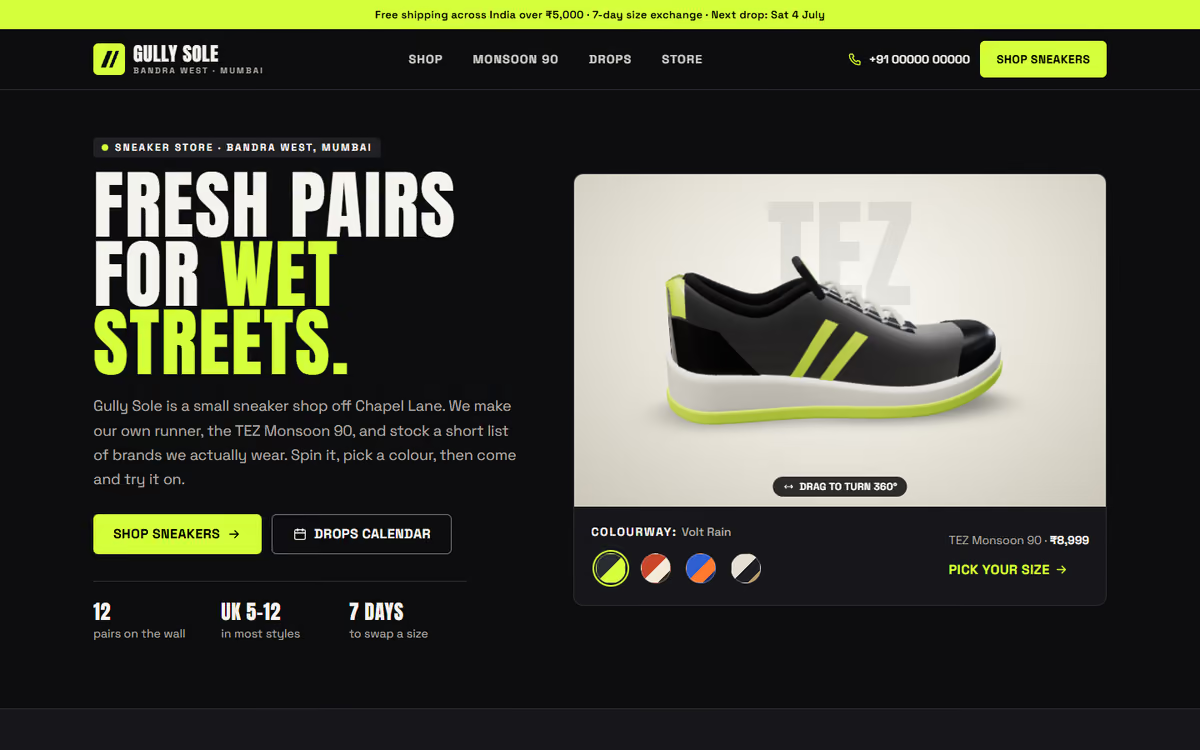
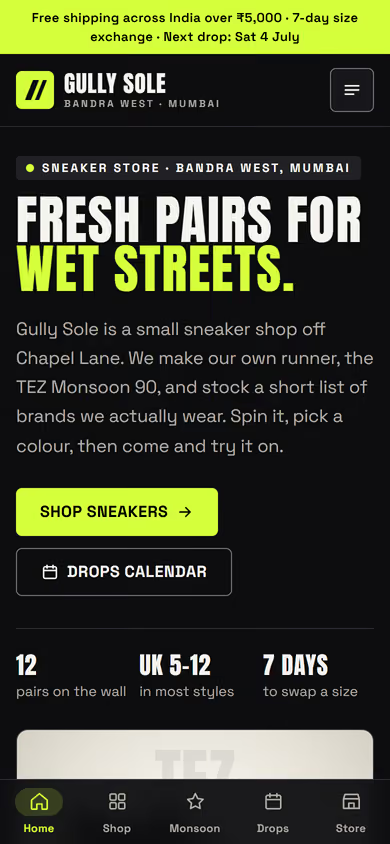
This sneaker store website template is for sneaker and streetwear shops that want a pair to look as good online as it does on the shelf. The hero is a sneaker in real 3D: the visitor can turn it all the way round and swap colourways with one tap, and the upper, overlays, stripes, sole and laces all change colour together. The design is dark and bold, with a bright volt accent. It ships with a fictional Mumbai store and sample pairs, so you can click through every page first.
The template has five pages:
- Home: the 3D sneaker with colourway swaps, and the way into the rest of the store.
- Shop: the full catalogue of lifestyle, running, court and skate pairs, with filters for size, type and price.
- Product: a large 3D viewer, the colourways for that pair, a size picker that shows stock, a size guide in UK, EU, US and centimetres, and material and fit notes.
- Drops calendar: upcoming releases laid out by date.
- Visit the store: the shop address and contact details, including phone and WhatsApp.
The 3D runs in the browser with no app or plug-in. On phones, a tab bar at the bottom of the screen gives one-tap access to all five pages.
The static version uses sample pairs, prices and stock. When we make it dynamic, your catalogue, sizes and stock come from an admin panel, customers can pay online by UPI or card, the drops calendar is updated by you, and orders and enquiries reach you with a WhatsApp alert.
Pages included
- HomeView Home
- ShopView Shop
- Monsoon 90View Monsoon 90
- Drops calendarView Drops calendar
- Visit the storeView Visit the store
Features
- Real 3D sneaker the visitor can turn all the way round
- Colourway swaps that recolour the upper, sole and laces
- Shop with filters for size, type and price
- Size picker with stock, plus a UK / EU / US / cm size guide
- Drops calendar for upcoming releases
- Store-visit page with address, phone and WhatsApp
- Mobile-first layout with a bottom tab bar on phones
Static template or dynamic site?
- Admin panel to add pairs, colourways, photos and prices yourself
- Live stock for every size, updated as pairs sell
- Cart and checkout with Razorpay / UPI payments
- Drops calendar you manage yourself, with new releases added in minutes
- Orders and enquiries saved to your CRM, with WhatsApp alerts
- Real database with daily backups, plus full SEO setup
| Feature | Static template | Dynamic (we build it) |
|---|---|---|
| Content edits | Developer edits code | Admin panel — you edit it yourself |
| Login / users | — | ✓ |
| Forms | Email only | Saved to your CRM, WhatsApp alerts |
| Payments | — | Razorpay / UPI |
| Data | Sample data | Your real data, database and backups |
| SEO | Basic | Full SEO setup and a blog |
Questions about templates
What is the difference between a static and a dynamic template?
A static template is a ready-made design with sample content: it looks finished, but a developer has to edit the code to change anything. A dynamic version is one we build for you, with an admin panel to edit content yourself, logins, forms saved to your CRM with WhatsApp alerts, Razorpay or UPI payments, your real data in a database with backups, and a full SEO setup with a blog.
How does “Make it dynamic” work?
Click “Make it dynamic” on the template you like, tick the extras you want (admin panel, payments, CRM, WhatsApp, SEO, custom domain) and send the form. We call you within one working day, confirm what you need and send you a written quote before any work starts.