
Solar installer with 3D rooftop house template
Energy & solar · Website · 3D, interactive
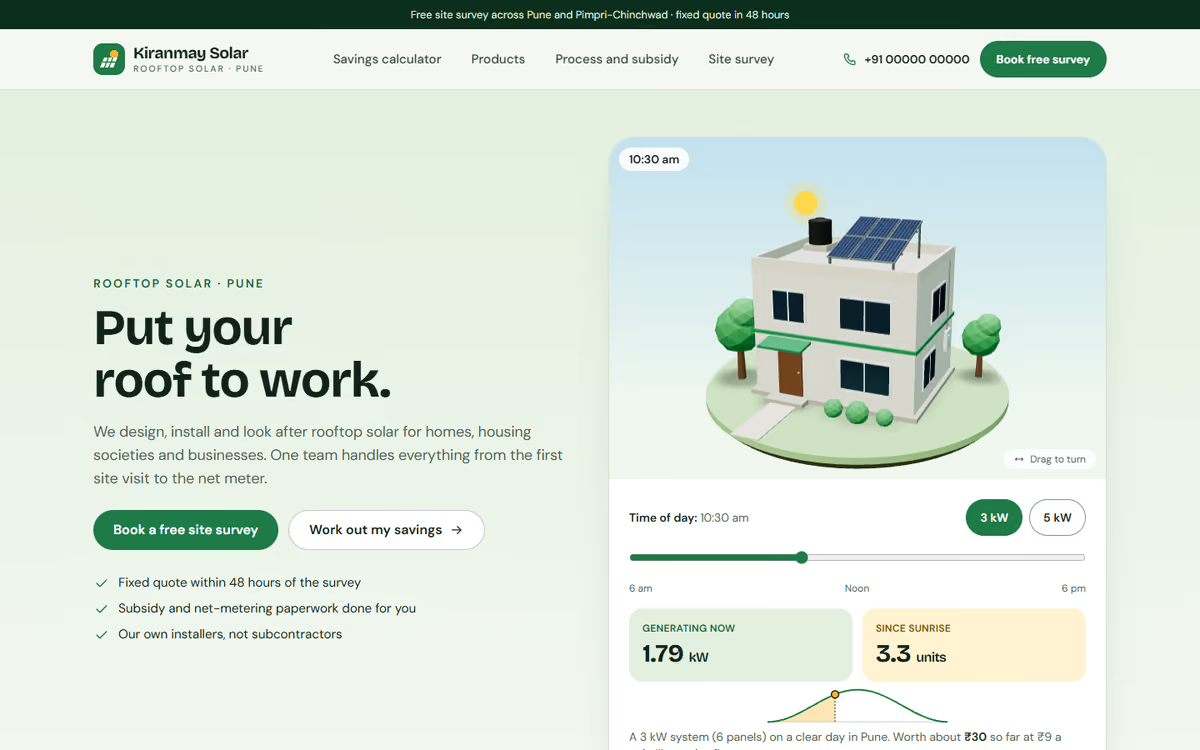
A rooftop solar installer website with a 3D house and a sun that moves through the day, a savings calculator, panels and inverters, subsidy steps and site survey booking.
What this template is for
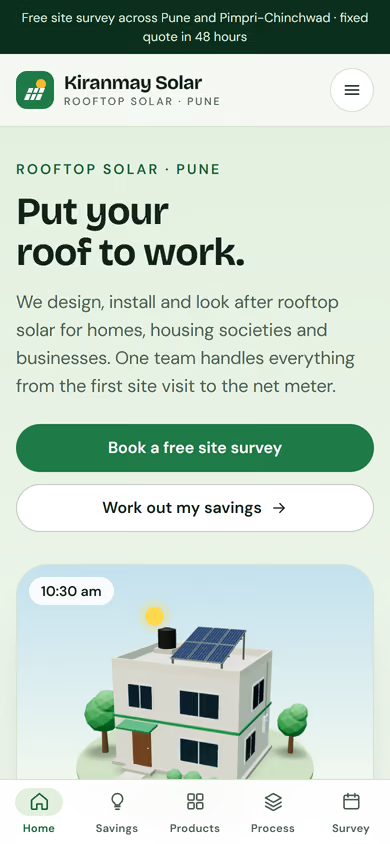
This solar installer website template is for rooftop solar companies that sell to homes and businesses and need to explain savings simply. The hero is a house in real 3D with solar panels on the roof. The visitor moves a time-of-day slider from 6 am to 6 pm, the sun travels across the sky, the sky changes colour, and the page shows how much power the panels are making at that hour, the units generated since sunrise and what they are worth in rupees. They can also switch between a 3 kW and a 5 kW system and see the number of panels on the roof change. It ships with a fictional installer in Pune and sample figures, so you can click through every page first.
The template has five pages:
- Home: the 3D house with the sun slider and system size switch, and an introduction to the company.
- Savings calculator: enter the monthly bill, pick the state and choose home or business. It suggests the system size in kW, the number of panels, roof space needed, estimated cost, an indicative subsidy and the payback period, with a chart of savings over 25 years.
- Panels and inverters: the products on offer with their specifications, prices and warranties.
- Process and subsidy: the steps from survey to net metering, and a checklist of documents to keep ready.
- Free site survey: a form to book a survey, with phone and WhatsApp.
The 3D runs in the browser with no app or plug-in. Every figure in the calculator is clearly marked as a rough guide, and the subsidy is marked indicative, so customers know the site survey gives the real numbers.
The static version uses sample products, tariffs and prices. When we make it dynamic, you update tariffs, subsidy amounts, per-kW rates and products from an admin panel, the calculator uses your numbers, and survey bookings go to your CRM with a WhatsApp alert.
Pages included
- HomeView Home
- Savings calculatorView Savings calculator
- Panels and invertersView Panels and inverters
- Process and subsidyView Process and subsidy
- Free site surveyView Free site survey
Features
- 3D house with rooftop solar panels
- Time-of-day slider that moves the sun and shows power, units and rupees generated
- Switch between a 3 kW and a 5 kW system
- Savings calculator by monthly bill and state, for homes and businesses
- Estimated cost, indicative subsidy, payback period and a 25-year savings chart
- Panels and inverters with warranties, plus net metering steps and a documents checklist
- Free site survey booking form, click-to-call and WhatsApp
Static template or dynamic site?
- Admin panel to update products, prices and warranties yourself
- Tariffs, subsidy amounts and per-kW rates you can edit, used by the calculator
- Survey bookings and calculator leads saved to your CRM, with WhatsApp alerts
- Razorpay / UPI booking amount payments
- Real database with daily backups
- Full SEO setup and a blog
| Feature | Static template | Dynamic (we build it) |
|---|---|---|
| Content edits | Developer edits code | Admin panel — you edit it yourself |
| Login / users | — | ✓ |
| Forms | Email only | Saved to your CRM, WhatsApp alerts |
| Payments | — | Razorpay / UPI |
| Data | Sample data | Your real data, database and backups |
| SEO | Basic | Full SEO setup and a blog |
Questions about templates
What is the difference between a static and a dynamic template?
A static template is a ready-made design with sample content: it looks finished, but a developer has to edit the code to change anything. A dynamic version is one we build for you, with an admin panel to edit content yourself, logins, forms saved to your CRM with WhatsApp alerts, Razorpay or UPI payments, your real data in a database with backups, and a full SEO setup with a blog.
How does “Make it dynamic” work?
Click “Make it dynamic” on the template you like, tick the extras you want (admin panel, payments, CRM, WhatsApp, SEO, custom domain) and send the form. We call you within one working day, confirm what you need and send you a written quote before any work starts.